
Svanam Shreshtam
Svan An equalizer for Android, made like an instrument.
Graphic and parametric EQ, headphone profiles and presets. Your audio is processed on your phone.
No ads, no trackers, no account
Closed beta on Google Play, opening soon12 testers needed, for 14 days
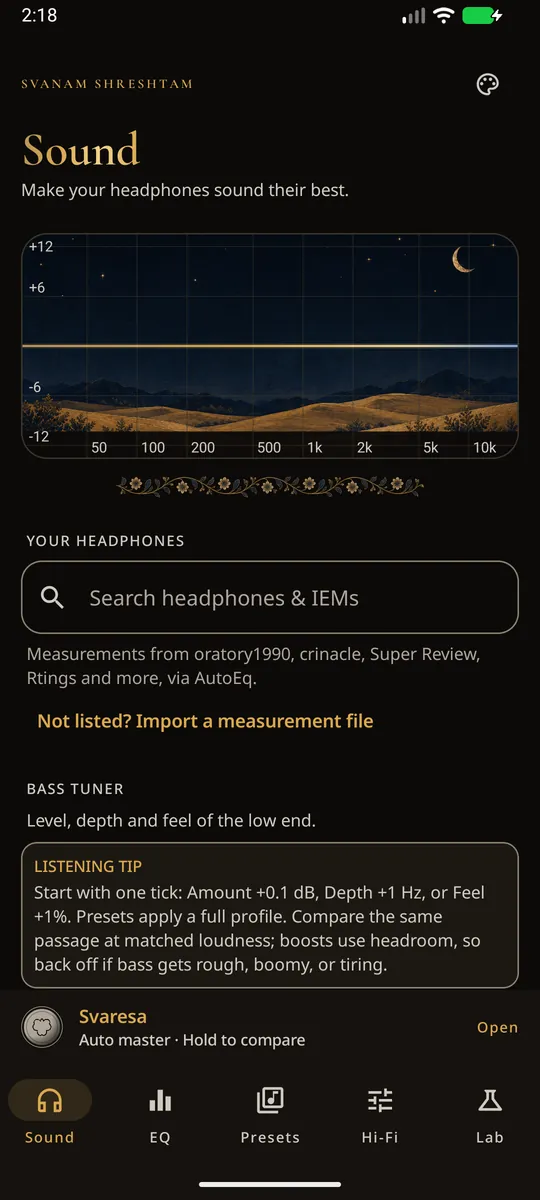

Real screens
The app, as it is today.
Screenshots from the beta. Five tabs: Sound, EQ, Presets, Hi-Fi and Lab.
-
1SoundFind your headphones or IEMs and load a profile. -
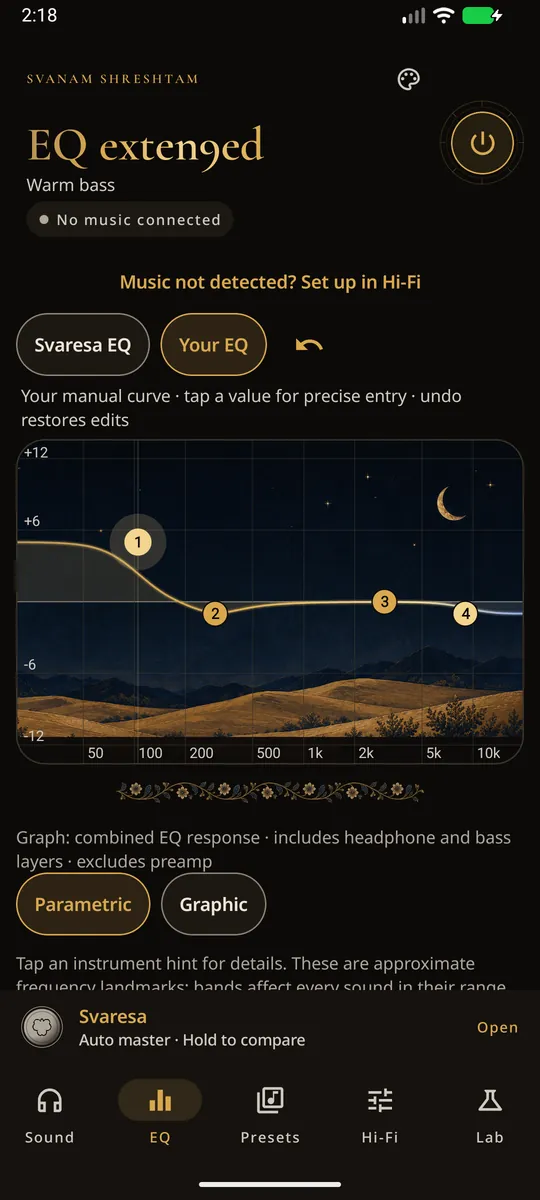
2EQDrag the bands, or tap a value to type it. -
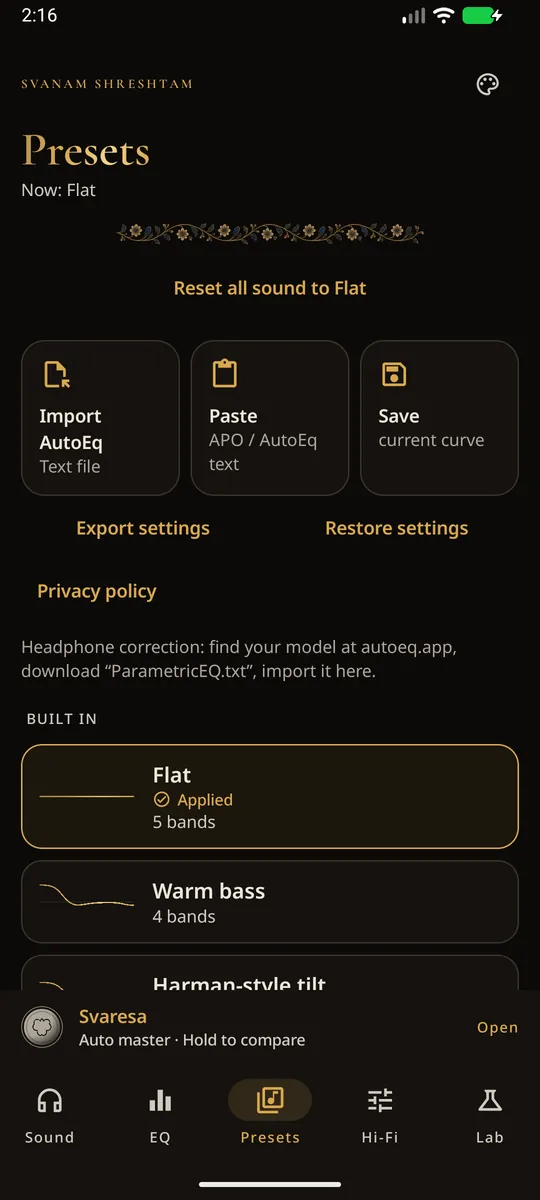
3PresetsImport, paste or save a curve. -
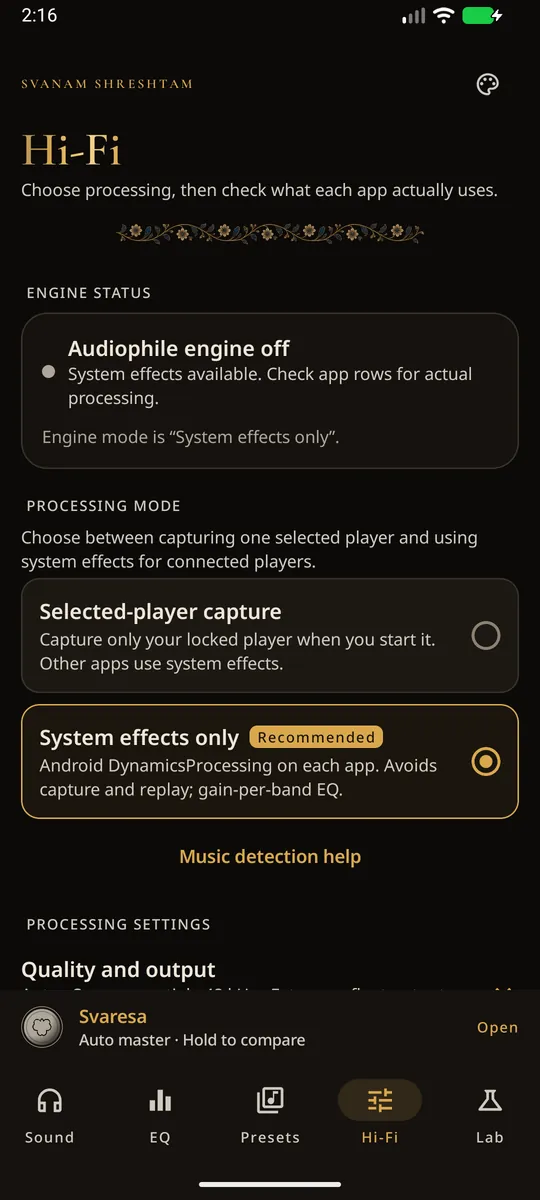
4Hi-FiSee what each music app actually allows.
1 / 4
The maker
Who makes Svan.
Svan is made and published by TziraH, an independent developer. You are being asked to give a stranger's app your time, so here is everything you can check first.
- Developer
- TziraH
- Contact
- harizisclean@gmail.com
- App ID on Google Play
- app.svan
- Version
- 0.5.16-b (beta)
- Needs
- Android 10 or newer, 64-bit phone
Where Svan is now
- Closed test on Google Play (now)(opening soon)
- Indus Appstore (listing under review)
- Public release (date and price announced here first)
Check it yourself
- Google links on this page go only to play.google.com, groups.google.com and support.google.com. Look at the address bar before you sign in.
- Once you are in the test, the Google Play page address ends in id=app.svan.
- The privacy policy is public: Read it
- The contact address and the GitHub account that hosts the privacy policy (iamhariize-maker) both belong to the developer.
Closed beta
Help Svan reach Google Play.
Before a new developer can publish on Google Play, Google requires a closed test: at least 12 testers who stay opted in for 14 days in a row. That is the only reason I am asking. Google's rule, on Google's own help page
You'll need
- An Android phone with Android 10 or newer (64-bit).
- A Google account. A spare one works just as well.
- About 14 days with Svan installed.
- Your music app. YouTube Music, Gaana and Apple Music work without setup. Amazon Music, JioSaavn and some others need an optional extra step (Shizuku).
-
Join the tester group.
It is a Google Group. Joining is how Google Play knows your account may test Svan.
Join on Google Groups Opens groups.google.comThe group link opens soon.
Check back on this page.
-
Opt in on Google Play.
Open the test page with the same Google account, tap Become a tester, then install Svan from Google Play.
Open the Google Play test page Opens play.google.comThe Google Play test link opens soon.
Check back on this page.
-
Keep it for 14 days.
Use it like any other app. Please stay opted in: Google only counts testers who stay 14 days in a row.
Day 1Day 14
-
Tell me what you find.
Your phone model, your music app, what you did and what happened. A screenshot helps. Short is fine.
Inside
What you can tune.
-
Parametric and graphic EQ
Drag bands on the curve, tap a value to type it exactly, undo, or switch to the graphic view.
-
Headphone profiles
Search for your headphones or IEMs and load a correction curve from AutoEq measurement data, or import your own.
-
Presets
Built-in presets. Import or paste AutoEq or APO text, save your own curves, and export or restore all your settings.
-
Svaresa
An automatic EQ with its own manual workspace. Hold to compare.
-
Hi-Fi status
Shows which playing app Svan can actually reach on your phone, so you are not guessing.
-
Optional audio engine
Off by default. With Android's consent, it processes eligible playback on the phone.
Appearance
A complete world for listening.
Five themes. Your sound stays as you left it.
Showing the Svan Original theme.



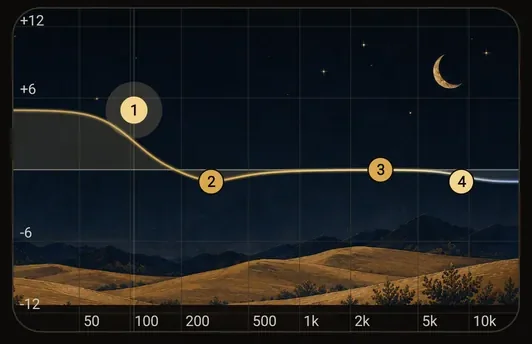
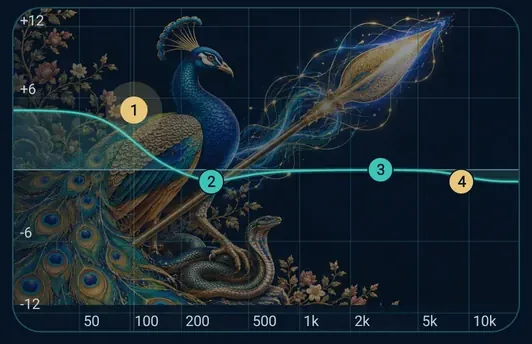
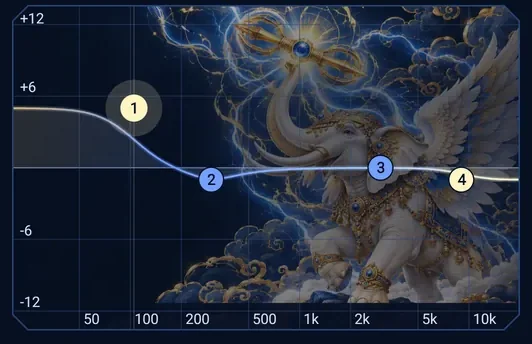
Svan Original
Botanical brass · gold after dusk
Shanmukha
முருகன்
Vel that severs illusion, the peacock's pride mastered, the serpent held calm
Indra Vajra
इन्द्र
Vajra of sacrifice, lightning that breaks the cloud, white Airavata
Also in the app: Prism Grove and Mint Circuit.
Compatibility
What works today.
No setup
YouTube Music, Gaana, Apple Music (Android).
Play a song and tune it. The developer has checked these on several phones.
Optional setup
Amazon Music, JioSaavn and some others.
These need Svan's optional enhanced detection, which uses Shizuku. It is an extra step, and only if you want it.
Not promised yet
Results depend on your phone, the music app and where the sound goes (speaker, wired or Bluetooth). Some apps and outputs do not allow effects. Bluetooth delay and screen-off behaviour are still being checked, and reports are welcome. The Hi-Fi screen shows what actually works on your phone.
Privacy
Every permission, explained.
Svan has no accounts and no developer server, so the developer holds no data about you from the app. Your audio is processed on your phone and never uploaded. The app goes online only to download headphone data from GitHub when you search for it. Read the full privacy policy
| Permission | Why | When |
|---|---|---|
| Microphone | Android requires it for any app that processes other apps' playback, which the optional engine does, and for the Lab's measurement tools. Svan does not intentionally record microphone input, and never saves or sends captured audio. | Only if you turn on the optional engine or run a Lab measurement. |
| Notification and foreground service | Shown while the optional engine runs, so you can see it and stop it. | While the optional engine runs. |
| Display over other apps | Only for the optional floating control. Off until you turn it on. | Only if you turn on the floating control. |
| Internet | Fetches headphone data (AutoEq) from GitHub when you search. GitHub sees ordinary network details, such as your IP address. | When you search for headphone data. |
| Shizuku (optional) | If you set it up, a read-only helper reads two fixed audio status reports to detect which music app is playing. It does not read other apps' data or content. The privacy policy describes the one optional extra step in full. | Only if you set it up. |
| Not used | No notification access, no accessibility service, no SMS. No ads or analytics SDK. Svan never touches calling, messaging, payment or voice-assistant apps. | Never. |
Questions people ask first.
Is this real? How can I check?
Most of this page you can check yourself. The Google links go only to play.google.com, groups.google.com and support.google.com, Svan's app ID on Google Play is app.svan once you are in the test, the privacy policy is public, and you can write to harizisclean@gmail.com. I will never ask you for an OTP, a password or money.
What do you get from my email?
When you join the tester group, I can see your Google account email address, and Google Play uses it to give you the test. I use it only to run this test and to reply to you. It goes on no mailing list and is shared with no one. You can use a spare Google account, and you can leave at any time.
Will Svan record my microphone or my music?
No. Android's microphone permission is required for processing playback. Captured playback is processed live and is never saved or uploaded. Svan does not intentionally record microphone input.
Do I have to pay?
You will never be asked to pay on this site, in the tester group or by email. Anything about pricing will be announced on this page first.
Why does Google need 12 testers?
New personal developer accounts must run a closed test with at least 12 testers for 14 days before publishing. Google's rule, on Google's own help page
Which phones and music apps work?
Android 10 or newer, 64-bit phones. YouTube Music, Gaana and Apple Music (Android) work without setup. Amazon Music, JioSaavn and some others need Svan's optional enhanced detection. Bluetooth delay and screen-off behaviour are still being checked, and reports are welcome.
Do I need Shizuku?
No. YouTube Music, Gaana and Apple Music work without it. It is only for detecting Amazon Music, JioSaavn and similar apps.
How do I leave the test?
Open the Google Play test page again, choose Leave the program, then uninstall. Leaving early lowers the tester count, so please tell me if you are going to.
Is Svan open source?
No. The code is private. The privacy policy describes what the app does with data.
Who do I contact?